 Payday Planned
1Payday Plan
Type in your pay and split it into needs, wants, and savings & debt. It tells you when every pound has a job.
| Needs | Planned |
|---|---|
| Rent or mortgage | £500 |
| Council tax | £95 |
| Food shop | £130 |
| Total needs | £900 |
The Payday Planner is a simple spreadsheet that gives every pound a job the day it lands, so the end of the month stops being scary.
Not ready? Get the free 1-Page Payday Plan
Sound familiar?
The money goes on little things and you’re counting days until the next payday.
Council tax, phone, subscriptions. They come out on different days and it’s hard to keep track.
You plan to save what’s left. There’s never anything left.
What’s inside
Every tab comes filled in with an example (an £1,800 payday) so you can see how it works. Type over it with your own numbers.
Type in your pay and split it into needs, wants, and savings & debt. It tells you when every pound has a job.
| Needs | Planned |
|---|---|
| Rent or mortgage | £500 |
| Council tax | £95 |
| Food shop | £130 |
| Total needs | £900 |
List every bill and the day it leaves your account. Tick them off and see what’s still to pay this payday.
| Bill | Day | Paid? |
|---|---|---|
| Rent or mortgage | 1 | Yes |
| Gas and electricity | 5 | No |
| Phone and broadband | 15 | No |
| Still to pay | £160 |
Add what you spend as you go. It shows how much of your plan is left in each pot.
| Pot | Planned | Left |
|---|---|---|
| Needs | £900 | £357.50 |
| Wants | £540 | £526 |
| Savings & debt | £360 | £210 |
Set a goal, add what you save, and watch the bar fill up. Small amounts, every payday.
Plus a Start Here tab that walks you through it in two minutes.
How it works
Get the file straight away. Open it in Excel, or upload it to Google Sheets.
Add your pay, your bills and the date of your next payday.
Split it, track it, and save a copy each payday so you can see your progress.
Free
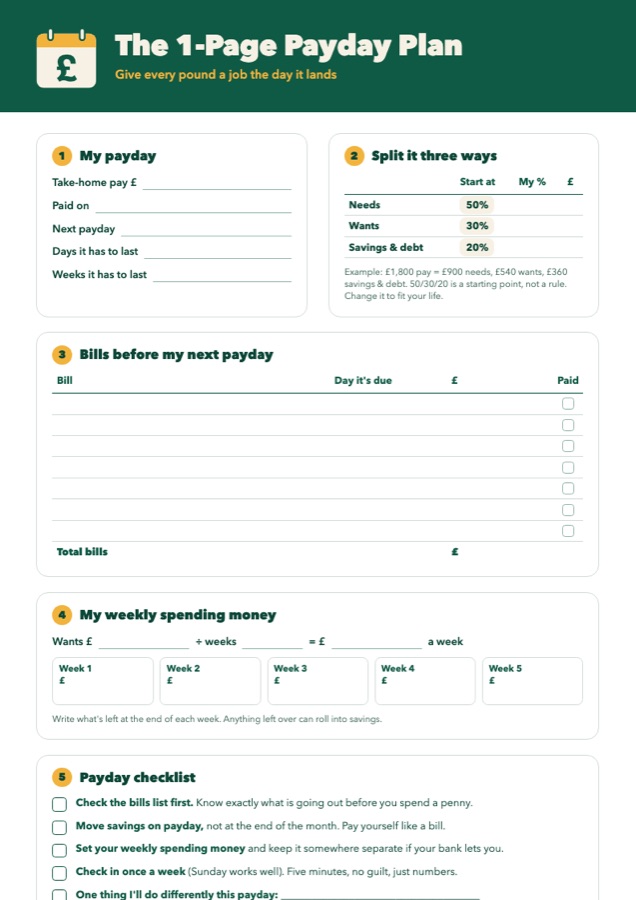
A printable one-pager to plan your next payday with a pen. Split your pay, list your bills, set your weekly spending money and follow the payday checklist.
Send me the free plan Coming soonFree. Just pop in your email and it’s yours. We’ll send the odd money tip too, and you can unsubscribe any time.
Questions
Yes. It’s an Excel file, so it opens in Excel, and you can upload it to Google Sheets (free with a Google account) and use it there. It works on a laptop, tablet or phone, though it’s easiest on a bigger screen.
You get a download link straight away on screen and by email. Checkout is handled securely by Payhip.
Yes. You plan one payday at a time. Put in how much you’re paid and when the next payday is, and it works out how long the money has to last.
No. You pay once and the file is yours to keep and reuse every payday.
Email paydayplanned@gmail.com and we’ll help you get it working.
No. It’s a budgeting tool and general tips, not personal financial advice. If you’re struggling with debt, free help is available from MoneyHelper, StepChange or Citizens Advice.